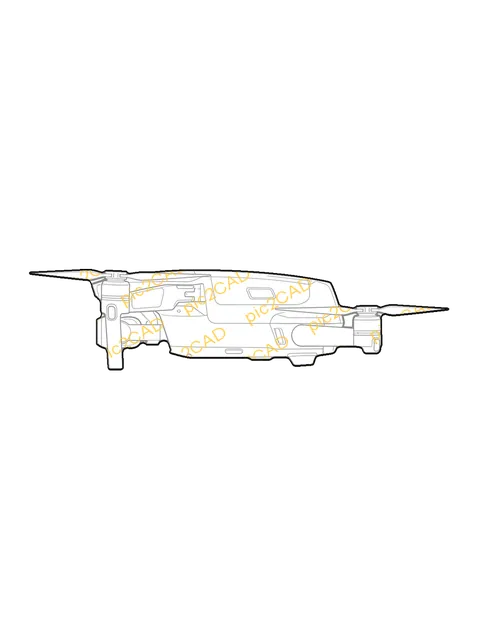
Folding Drone, Side View
A foldable drone in side profile. The long flat fuselage spans the drawing, with panels, a small oval window and vent slots along the top and side, and a rounded nose at the left. One folded arm with its propeller hub comes down in the foreground at the left, another sits near the right end, and the thin blades stretch out in line with the body. Short feet at the bottom hold it just above the ground. This is the most compact of the four views, and it helps you check the height and depth of the folded aircraft. Use it in carrying case drawings, workbench layouts and packaging sections. Turn your own drone into a block with a picture in pic2CAD.
- Objects
- electronics
- Orthographic view
- Side
Free, like every block in the Library.
Found it useful? Support the LibraryDetails
- Category
- Objects
- Approximate size
- 9 cm tall × 28 cm wide
- View
- Side
- Formats
- PNG, SVG, DXF
- Group
- electronics
About 9 cm high and 28 cm deep, blades included. Approximate; rescale to your drone.
Files and formats
- PNG
- Image for printing and presentations.
- SVG
- Vector drawing for vector software and laser cutting.
- DXF
- AutoCAD 2018 format (DXF R2018). Curves are polylines with arcs. Layers: Inner (line detail), plus Outer and Fill when the block has a solid outline.
- ZIP (all)
- PNG, SVG and DXF together with the licence.